
IQOS Error Lights Explained: What Red, White and Blinking Mean
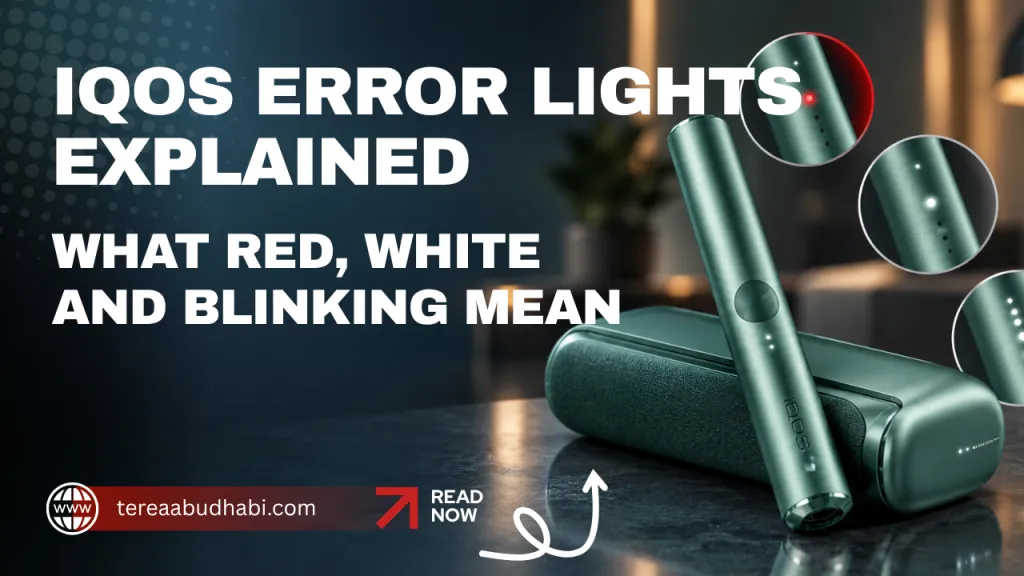
Almost every IQOS device follows the same colour logic, and knowing it saves most trips to support.
White means normal. Charging, heating, ready, resetting, or telling you how much charge is left.
Yellow or orange means charge it. The battery is low or depleted. Nothing is broken.
Red means a problem. Usually a reset fixes it. Sometimes it means the device is too hot, which in this country is the most common cause of all.
Below is what each pattern means on each device, followed by the fixes in the order worth trying them.
IQOS ILUMA and ILUMA PRIME
Two components, two sets of lights. The holder tells you about the session; the pocket charger tells you about charge.
| Holder light | What it means |
|---|---|
| Pulsing white | Preheating your stick, or your session is about to finish. It can also appear if the device has been exposed to extreme heat or cold |
| Blinking red | A problem. Usually needs a reset, sometimes a failed firmware update, sometimes magnet interference |
| Pocket charger light | What it means |
|---|---|
| Pulsing white rounded lights | The holder is charging |
| Two stationary rounded lights | Enough charge for two back-to-back sessions |
| One stationary rounded light | Enough charge for one session |
| Four white strip lights | Charger is more than 75% charged |
| Three white strip lights | 50% to 75% |
| Two white strip lights | 25% to 50% |
| One white strip light | Less than 25% |
| Blinking red | Holder charge is low. If the strip light itself blinks red, reset the device |
A short press of the charger button stops the blinking and holds the lights steady so you can read the level.
The same patterns apply across the ILUMA range and the newer ILUMA i range, including ILUMA i Prime.
The magnet problem nobody warns you about
This one is worth its own section because it catches people out and looks exactly like a hardware fault.
Philip Morris states that keeping the holder against or near a magnet can affect the device’s calibration and cause a blinking red light. The device is not broken. It has been thrown off by a magnetic field.
Where this actually happens: magnetic phone mounts in cars, magnetic phone cases and wallets, MagSafe chargers, magnetic laptop-bag closures, and magnetic pocket-charger wraps. If your holder rides in the same pocket as any of those, move it and reset the device.
IQOS ILUMA ONE
An all-in-one device, so one set of lights covers everything.
| Light | What it means |
|---|---|
| Blinks yellow or orange | Battery depleted. Charge it |
| Blinks white twice | The device is outside its operating temperature range of 0 to 40°C |
| Blinks red | Needs a reset |
The double white blink is the one you will see most in the UAE, and it almost always means the device has been sitting somewhere hot. Full details on the ILUMA ONE page.
IQOS ORIGINALS DUO and IQOS 3 DUO
Same device under two names, and the light system carries more information than most owners use.
| Light | What it means |
|---|---|
| Two charger lights | Holder is fully charged, two sessions available |
| One charger light | One session left |
| No lights | Holder is empty, recharge it |
| White flashing at the top of the charger | Charger battery is low |
| Blinking white | The device is charging |
| Steady white, then three pulses, then off | Fully charged |
| Blinking red on the holder | Heating blade broken, or holder malfunction |
| Blinking red on the bottom charger light | Device needs a reset |
The red holder light is the serious one. On blade devices, a cracked ceramic blade ends the device rather than damaging it, and it is almost always caused by twisting a stick while removing it. Pull sticks straight out, every time. Our ORIGINALS DUO page covers the device in full.
One easily missed cause of no response at all: if the holder is inserted upside down, there is no LED indication and it will not charge. Check the orientation before assuming a fault.
IQOS ORIGINALS ONE
Four LEDs handle everything on this one, and they do more than report battery.
A short press shows charge: four lights means over 75%, one light means charge it soon. During a session the same LEDs count down the time remaining. At the last 30 seconds or last two puffs the device vibrates once while one light pulses white, so a session never ends without warning.
A blinking red light means the device is outside its 0 to 40°C operating range. Let it cool, and if red persists, reset it by holding the button for 10 seconds. More on the ORIGINALS ONE page.
lil SOLID
A different manufacturer entirely, so a different light language. lil SOLID is made by KT&G rather than Philip Morris.
| Light | What it means |
|---|---|
| Solid blue | Ready to use |
| Blinking blue | Heating, roughly 25 seconds |
| Red | Low battery or an error |
The reset here is eight seconds rather than ten. And if a brand new lil SOLID appears completely dead, it is not faulty: the device ships in sleep mode and wakes when you hold the button for two seconds or connect the charger.
Reset procedures, by device
| Device | How to reset |
|---|---|
| ILUMA, ILUMA PRIME, ILUMA i, ILUMA i Prime | Place the holder in the pocket charger, hold the charger button for 10 seconds, release when the lights dim. Lights briefly flashing white confirms it worked |
| ILUMA ONE | Hold the button for 10 seconds |
| ORIGINALS DUO, IQOS 3 DUO | Hold the pocket charger button for 10 seconds until the lights fade out and back in |
| ORIGINALS ONE | Hold the button for 10 seconds. All status lights turn off and back on |
| lil SOLID | Hold the button for 8 seconds |
A reset clears temporary software glitches without touching your settings. It is the correct first response to almost any red light, and it fixes most of them.
The UAE-specific cause: temperature
Most IQOS devices state an operating range of 0 to 40°C. The bottom of that range is irrelevant here. The top of it is not.
A parked car in Abu Dhabi passes 40°C without difficulty, and a dashboard in summer goes far beyond it. So the single most common error light in this country is a temperature warning on a device that spent an hour in a car.
The fix is nothing more than patience. Bring the device indoors, give it several minutes to return to a normal temperature, and it works again. No reset needed, and no damage done by one incident.
Repeated exposure is a different matter. Heat shortens lithium battery life faster than heavy use does, so a device that lives in a car will hold less charge within a year than one that does not.
Six causes worth checking before you assume the worst
In rough order of how often each turns out to be the answer.
1. It needs charging. Obvious, and still the most common cause of a device that will not heat.
2. It is too hot. The 0 to 40°C range, and a car in summer.
3. It needs a reset. Ten seconds on most devices, eight on lil SOLID.
4. The contacts are dirty. The gold contacts between holder and charger collect residue and lint. Wipe them gently with a dry cloth. A charger that reports a fault often just cannot make a connection.
5. A magnet is nearby. Covered above. Common and rarely suspected.
6. The battery is deeply depleted. If a pocket charger is completely flat, it is normal to wait up to 20 minutes before any charging light appears. That silence is not a fault.
One more, specific to first-time buyers: the wrong stick in the wrong device produces no light at all. A HEETS stick in an ILUMA does nothing, because there is no metal element for induction to heat. Our device compatibility guide lists every pairing, and how TEREA sticks work explains why the two systems cannot mix.
When it is not a light problem at all
Two failures show as red and do not recover.
A broken blade on any blade device. Ceramic cracks when a stick is twisted during removal, and a cracked blade cannot be repaired. This is the main reason people replace blade hardware, and it is why the titanium steel alloy blades in Lambda T3 and Lambda CC devices are a genuine durability advantage.
A holder malfunction, where red persists after cooling, cleaning and a reset. At that point it needs IQOS Customer Care rather than another reset attempt. IQOS devices carry a manufacturer warranty, commonly 12 months, and registering the device usually activates full cover.
Worth knowing: Lambda devices are third-party hardware with no Philip Morris warranty, so any cover on those comes from the retailer.
The device that has no error lights
One category of problem disappears entirely with induction heating.
Blade devices collect tobacco residue because the blade sits inside the stick for every session, and a dirty chamber costs you flavour long before it triggers any warning light. That is why Philip Morris recommends cleaning blade devices after every pack of 20 sticks, and why we stock cleaning accessories for them.
ILUMA devices have no blade. Nothing inside ever touches tobacco, so there is no residue, no cleaning routine, and no blade to break. Our cleaning guide covers blade devices, and what the HEETS phase-down means for UAE users covers whether switching makes sense.
Need a replacement?
We stock the full IQOS ILUMA and ILUMA i ranges, IQOS ORIGINALS and lil SOLID, and Lambda devices, with one-hour delivery across Abu Dhabi and same-day delivery to Dubai, Sharjah, Ajman, Ras Al Khaimah, Fujairah and Umm Al Quwain. Cash on delivery throughout.
Frequently asked questions
Why is my IQOS blinking red?
Most often it needs a reset. It can also mean the device is outside its 0 to 40°C operating range, that a firmware update failed, or that a magnet has affected its calibration. Try cooling it first, then reset by holding the button for 10 seconds.
What does a white blinking light mean?
Normal operation. Usually charging or preheating. On ILUMA holders, pulsing white can also mean your session is nearly over. On ILUMA ONE, two white blinks specifically means the device is outside its temperature range.
What does a yellow or orange light mean?
The battery is low or depleted. Charge the device. Nothing is broken.
How do I reset my IQOS?
On ILUMA, ILUMA PRIME, ILUMA i and ILUMA i Prime, place the holder in the pocket charger and hold the charger button for 10 seconds, releasing when the lights dim. Lights briefly flashing white confirms the reset. ILUMA ONE, ORIGINALS DUO and ORIGINALS ONE also use 10 seconds. lil SOLID uses 8.
My device shows no light at all. Is it dead?
Probably not. Check three things: whether the holder is inserted upside down, which produces no LED indication and no charging; whether the battery is deeply depleted, in which case it can take up to 20 minutes before a charging light appears; and whether a new lil SOLID is still in sleep mode, which needs a two-second button hold to wake.
Can a magnet really break my IQOS?
Not break it, but it can affect calibration and cause a blinking red light. Philip Morris advises keeping the holder away from magnets. Magnetic phone mounts and cases are the usual culprits. Move it away and reset.
Red light after cleaning the contacts and resetting. What now?
That points to a genuine hardware fault: a broken blade on a blade device, or a holder malfunction. Contact IQOS Customer Care rather than resetting repeatedly. IQOS devices carry a manufacturer warranty, commonly 12 months.